
The suspense is finally over! If you’ve been biting your nails waiting for the official release of the 2026 Unified Tertiary Matriculation Examination (UTME) Original Result Slip, it’s time to take a deep breath.

The Joint Admissions and Matriculation Board (JAMB) has officially announced that the original result slips will be available for printing starting this Wednesday, 17 June 2026.
In a statement released in Abuja, JAMB’s Public Communication Adviser, Dr. Fabian Benjamin, dropped the ultimate good news: the portal will be live, and your slip will be ready for printing within two hours of the launch.
Here is everything you need to know about getting your slip, why the “original” version matters so much, and your next steps toward securing that dream admission.
Why You Can’t Skip the “Original” Result Slip
You might be thinking, “But I already checked my scores via SMS or the portal. Why do I need to print this one?”
Great question. The notification of results you saw earlier was just a temporary breakdown. The Original Result Slip is the real deal. According to Dr. Benjamin, this official document comes packed with critical features that the text message or basic printout lacks:
- Your Passport Photograph: Clear visual verification that you are who you say you are.
- National Rankings: Insights into how your performance stacks up on a national level.
- Advanced Security Features: Unique security elements designed to prove its authenticity and prevent forgery.
The Golden Rule of Admissions:
Tertiary institutions will not accept a basic notification of results for screening. The Original Result Slip is a mandatory, non-negotiable requirement for your post-UTME screening and final admission clearance. No original slip, no entry.
How and Where to Print Your Slip
JAMB has made the process incredibly flexible this year. You don’t need to queue up at a crowded JAMB office unless you absolutely want to. You have two main options:
1. Do It Yourself: You can print the slip from any internet-enabled device (your laptop or smartphone) connected to a printer.
2. Visit the Professionals: Head over to any accredited business center or Cybercafé to get it printed cleanly.
Pro-tip: Make sure you have a stable internet connection and enough funds in your digital wallet if a portal payment is required for the printing service.
Your 3-Step Action Plan
Once the portal goes live, don’t just print the document and toss it into a drawer. Follow these steps to ensure smooth sailing:
- Verify Everything Immediately
The moment the printer spits out your slip, check it with a hawk’s eye. Verify your name spelling, date of birth, UTME subject combination, scores, and state of origin. If anything looks off, it’s much easier to flag it now than during your university screening.
- Make Multiple Photocopies
You will need to submit copies at various stages of your admission journey (departmental screening, faculty screening, hostel registration, etc.). Print a few black-and-white copies, but keep the original color printout safe.
- Digitalize It
Scan the original slip and save it as a PDF on your Google Drive, iCloud, or email. Physical papers can get lost or damaged, but a digital backup ensures you are never stranded.
Step by step on how to print the original Result slip
To get your official document, you will need to log into your personal profile on the official JAMB e-Facility portal and complete the standard processing payment.
Here is the exact step-by-step procedure to guide you through the process safely.
The Portal Printing Steps
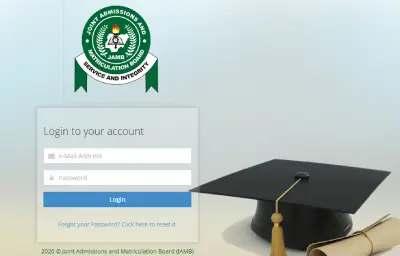
Step1. Access the Official JAMB Portal
Open your internet browser and head directly to the official JAMB portal link at efacility.jamb.gov.ng
Step 2. Login to Your Candidate Dashboard
Enter the Email Address and Password you created during your initial UTME registration, then click the login button to open your personalized dashboard.
Step 3. Locate the Printing Service
Scroll through the grid of available services on your dashboard home page. Locate and click on the icon labeled “Print Result Slip”.
Step 4. Provide Your Registration Details
Select 2026 from the examination year dropdown menu. Next, carefully type your unique JAMB Registration Number into the provided text box.
Step 5. Complete the Online Payment
Click on the payment button. The portal will securely redirect you to the payment gateway (Remita), where you can pay the standard JAMB fee using your ATM card, bank transfer, or internet banking.
Don’t close or refresh your browser until the transaction has been fully approved.
Step 6. Generate and Download Your PDF
Once successful, the portal will return you to the dashboard page. Click “Print Result Slip” one final time to automatically generate and download your official slip as a high-quality PDF file.
A Quick Warning: Only input your login details on the official address listed above (efacility.jamb.gov.ng). Avoid clicking random links on social media platforms that claim to bypass the standard payment gateway, as these are often phishing attempts to steal student data.
Frequently Asked Questions (FAQs)
1 . How much does it cost to print the 2026 JAMB Original Result Slip?
ANSWER: The official processing fee on the JAMB e-Facility portal is ₦1,500. If you choose to print your slip at a commercial Cybercafé or an accredited CBT centre, you should budget an extra ₦200 to ₦500 for their printing services and system usage.
2. Can I print my original result slip more than once?
ANSWER: Yes. Once you have successfully logged into your portal and made the ₦1,500 payment, the document is unlocked for that specific examination year. You can log back in to your dashboard at any time to re-download or reprint the PDF without being charged again.
3. Does the JAMB Original Result Slip expire?
ANSWER: No, the result slip does not expire. It remains a permanent official record of your performance for the 2026 UTME. However, it is primarily used for the 2026/2027 academic session admission cycle.
4. Can I print the result slip in black and white?
ANSWER: While a black-and-white copy can serve as a personal backup, you are strongly advised to print at least one copy in full color. Most tertiary institutions strictly require a color printout during the Post-UTME screening and physical verification to ensure your passport photograph and JAMB security features are completely clear.
5. What should I do if the portal shows an error or my payment fails?
ANSWER: If your bank account is debited but the JAMB portal doesn’t show a successful transaction, do not panic or attempt to pay immediately again. Wait a few minutes, log out, and log back into your e-Facility dashboard. Go to your payment history to check the status or click “Re-query” to force the system to confirm the payment from Remita.
6. I forgot my JAMB profile password. How can I log in to print my slip?
ANSWER: You can easily reset your password directly on the landing page of the JAMB e-Facility portal. Simply click on the “Forgot Password?” link, input your registered email address, and a password reset link will be sent to your mailbox.
In conclusion, securing a high score is only half the battle; navigating the administrative steps flawlessly is what gets you through the university gates. Log in to the portal, get your printing setup ready, and take this crucial step toward your academic future.
Get your Original Result Slip sorted early, double-check your details, and keep your files organized. Navigating admission season can be stressful, but taking care of the paperwork early clears the runway for your success.
Good luck to all 2026 UTME candidates!
Are you ready for the post-UTME hustle? Let us know in the comments which institution you are aiming for this year’s admission.
RECOMMENDED : JAMB Officially Bans Affiliated Degree Courses in Colleges of Education
FUTIA Post-UTME and Direct Entry Screening 2026/2027 (Detailed Guide)
How King’s College Captain Rhema Ugwuede Scored 363 in UTME 2026 and His Exact Strategy
Related posts:

JAMB Releases Underage Results 2026: Admission Rules & Exceptional Criteria

JAMB Removes Ban on SIM Swap and Change of Email Address

2026 UTME: Is The JAMB Concession A Cancellation Or A Suspension?

JAMB 2026: There will be a back-end verification- Epelle

JAMB 2026: The Road To Score 300+In JAMB 2026(complete Step By Step Guide)