Do you know you learn tech with a smartphone? Read on to find out top mobile tech skills for students.
The price of a dependable laptop in Nigeria has skyrocketed to unprecedented levels. A standard entry-level machine suitable for basic programming now costs well over 500,000 Naira. For the average Nigerian university student, this massive financial barrier creates deep frustration. Thousands of brilliant students abandon their dreams of entering the technology industry because they mistakenly believe they must wait until they can afford a physical computer. They sit in computer science and engineering lecture halls learning theoretical concepts from outdated textbooks, waiting for a financial miracle to happen.
This assumption is entirely false. The 2026 educational technology landscape has shifted aggressively toward mobile-first learning. The smartphone currently resting in your hands is a pocket-sized supercomputer. Modern mobile devices possess significantly more processing power, RAM, and storage capacity than the desktop computers used by professional developers a decade ago.
You do not need a massive dual-monitor setup to start your technology career. You can compile backend code, query complex databases, design professional graphics, and execute advanced network security commands directly from your touchscreen. Smartphone upskilling (learn tech with smartphone) serves as the ultimate equalizer for Nigerian undergraduates. By leveraging highly specific mobile applications, you can build a formidable, verifiable portfolio before you ever purchase a physical laptop.
This comprehensive guide will reveal the top mobile tech skills for students. We will provide the exact applications you need to master them today, ensuring you transform your smartphone from a social media distraction into a powerful digital workstation.
Learn Tech With Smartphone: Top Mobile Tech Skills for Students
Skill 1: Python Programming and Machine Learning Scripting
Python represents the absolute backbone of modern software development, artificial intelligence, and task automation. Many beginners assume that writing Python requires a heavy desktop code editor. In reality, you can learn coding on smartphone platforms with zero friction.
If you use an Android device, your first step is downloading an application called Pydroid 3. This software serves as a complete, offline Python 3 educational integrated development environment. It completely replicates a desktop programming workspace on your mobile screen. Pydroid 3 features a highly readable code editor with syntax highlighting, a built-in terminal, and a custom package manager.
The true power of Pydroid 3 lies in its ability to handle heavy scientific computing. You can install advanced libraries like NumPy for mathematics, Pandas for data manipulation, and Scikit-learn for artificial intelligence. Imagine building a functional machine learning prototype directly on your phone. You can write the logic to classify background process activity, simulating a lightweight watchdog application that detects behavioral anomalies. You can train the classification model and print the accuracy scores right on your mobile screen. Also, you can even install Flask to run a local web server, testing backend routing from your mobile browser.
For iOS users or absolute beginners who find a blank code editor intimidating, the SoloLearn application provides a brilliant alternative. SoloLearn breaks down complex Python concepts into short, highly interactive coding modules. It gamifies the learning process, allowing you to complete quizzes and write short functional scripts while waiting for a lecturer to arrive or during a long bus ride. By dedicating just one hour a day to these mobile platforms, you will master algorithmic logic months before you ever touch a physical keyboard.
Skill 2: Ethical Hacking and Command Line Basics
Cybersecurity appears incredibly intimidating to the uninitiated. Many students visualize hackers sitting in dark rooms surrounded by massive server racks and scrolling green code. They assume they need an expensive workstation to understand network defense or vulnerability assessments. In reality, cybersecurity begins with a singular, fundamental skill: mastering the command line interface.
To start your journey into ethical hacking and network security, you must install Termux on your Android device. Termux is an immensely powerful terminal emulator. It provides a robust, fully functional Linux environment directly on your mobile device without requiring you to root your phone or void your warranty. It bridges the gap perfectly between consumer mobile operating systems and professional server environments.
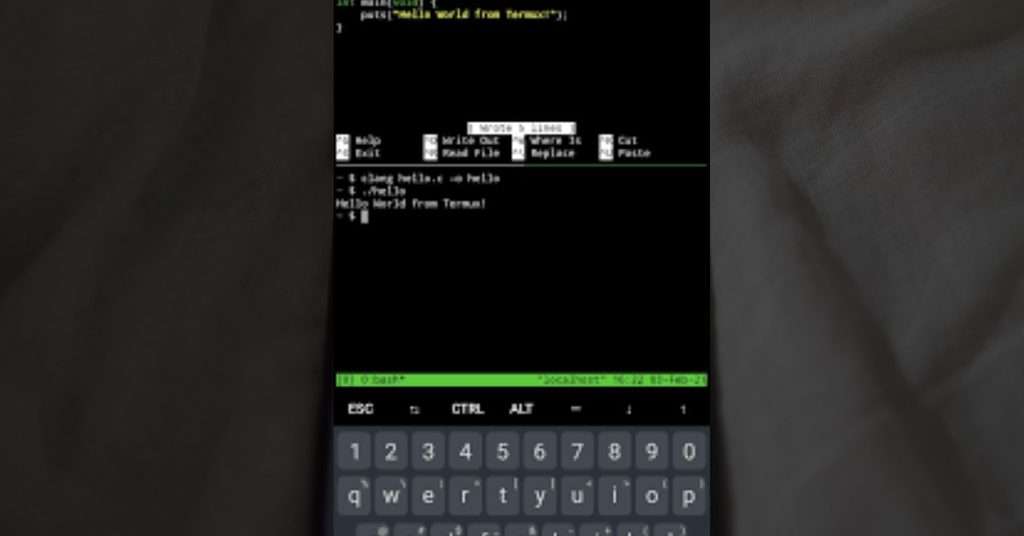
When you open Termux, you face a blank, black terminal screen. This forces you to navigate the digital world using text commands rather than a graphical mouse. Inside Termux, you can install real-world penetration testing and network administration tools. For example, you can install Nmap to run basic network mapping commands, allowing you to scan open ports and identify active devices on your local Wi-Fi network.
You can also study applied cryptography right from your phone. By installing OpenSSL in Termux, you can execute commands to generate symmetric encryption keys (like AES) or practice password hashing algorithms (such as SHA-256). You can practice navigating directory structures, moving files, managing user permissions, and executing basic bash scripts.
Mastering these command line fundamentals on your smartphone provides a massive, undeniable advantage. When you finally secure the funds to transition to a full Windows 11 or Kali Linux virtual machine setup, you will not struggle with the basics. You will already understand the core operational syntax perfectly, allowing you to dive straight into advanced enterprise network defense and firewall configurations. You see, ethical hacking and cybersecurity is a top mobile tech skills you can learn today.
Skill 3: Data Analysis and Database Management
Data is the new global currency. Corporations, governments, and small businesses desperately need professionals who can extract meaningful, actionable insights from massive, chaotic datasets. You can begin building this highly lucrative analytical mindset during your daily commute.
The DataCamp mobile application serves as the perfect starting point for aspiring data analysts and data scientists. The platform gamifies the complex learning experience seamlessly. You can master SQL (Structured Query Language) by completing interactive, tap-based coding challenges on your screen. The application teaches you how to filter large databases, join complex tables, and manipulate datasets to answer specific business questions.
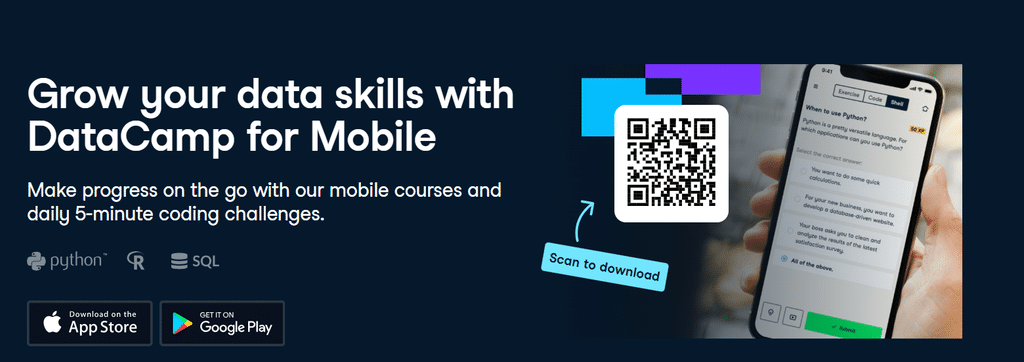
Furthermore, you can practice data cleaning techniques. You can learn how to handle messy comma-separated value files, deal with missing information, and structure data for visualization. Instead of scrolling aimlessly through social media timelines, you can use a twenty-minute campus shuttle ride to master logic filtering. This continuous, daily exposure to data manipulation builds deep algorithmic thinking over a single semester. When you eventually transition to desktop tools like Microsoft Excel or Power BI, the underlying logic of data relationships will already be second nature to you.
Skill 4: Digital Marketing and Visual Content Creation
Technical skills extend far beyond writing lines of code or querying databases. Digital marketing, content strategy, and visual design remain some of the fastest ways for students to generate immediate, scalable income. These are top mobile tech skills for students you can take advantage of. You can run an entire digital marketing agency directly from your smartphone if you understand how to leverage the right mobile tools.
The Canva mobile application has completely revolutionized digital design. You do not need to struggle with complex Adobe software on a lagging laptop to produce high-converting visuals. Canva allows you to generate stunning, professional-grade marketing assets from your phone.

With the integration of modern artificial intelligence features, the possibilities are limitless. You can use text-to-image generation tools within your mobile design apps to create highly specific assets. Need a graphic for a campus event? You can generate custom professional studio headshots for student union political campaigns. Need an artistic flyer for an engineering exhibition? You can prompt the AI to generate fine-line pencil sketches of architectural structures. These high-quality visual assets command premium prices in the campus market.
You must pair your visual design skills with the Meta Business Suite application. This powerful mobile tool allows you to schedule social media posts, analyze audience engagement metrics, and run paid advertising campaigns across Facebook and Instagram simultaneously. You can monitor advertisement performance, adjust campaign budgets, and respond to customer inquiries from a single mobile dashboard.
Furthermore, you can develop your skills in search engine optimization and content planning. By writing search-optimized articles and managing content calendars for local blogs or websites directly from your mobile word processor, you build a verifiable track record in digital publishing. By mastering these interconnected mobile applications, you possess the entire toolkit needed to manage digital brands effectively and profitably.
The Transition Strategy: Earning Your First Laptop
Learning these technical skills on a smartphone is an incredible achievement, but it is not your final destination. Smartphone upskilling serves as a strategic stepping stone. Your ultimate goal is to monetize these newly acquired mobile capabilities to fund the purchase of your primary professional workstation.
You must transition your mindset from a passive learner to an active service provider immediately. The campus environment provides a massive, target-rich market for freelance tech services.
Start by identifying local clients within your immediate university environment. Approach student politicians launching their campaigns, campus fellowship leaders planning weekly services, and local department executives organizing academic seminars. Offer to design their event flyers and manage their social media communication strategies using Canva and your smartphone. Charge a modest, student-friendly fee for your initial services to build a robust portfolio and gather testimonials.
Next, approach the small business owners operating around the university gate and student hostels. Many of these vendors struggle terribly with manual inventory tracking and poor customer follow-up. Use your mobile Python skills to write basic automation scripts that format their customer contact lists or send automated WhatsApp reminders. Use your data analysis skills to help them track their monthly sales trends on a mobile spreadsheet, providing them with clear visual charts of their most profitable items.
You can also offer basic cybersecurity consulting to small campus cafes or business centers. Use the knowledge you gained from Termux to run basic vulnerability assessments on their public Wi-Fi networks, advising them on proper router security and password encryption. While you cannot run a full corporate audit from a phone, your foundational knowledge is valuable to small business owners who know absolutely nothing about network security.
The Benefit
As you execute these mobile gigs, practice aggressive financial discipline. Save every single Naira you earn from these services. Open a dedicated savings account specifically for your laptop fund. Within a few months of consistent freelance work, you will accumulate enough capital to purchase a solid, refurbished laptop.
The true magic of this transition strategy happens on the day you finally purchase that computer. When you open that new laptop for the first time, you will not be a confused beginner staring at a blank screen. You will not have to spend months learning basic syntax or figuring out how a file directory works. You will be a seasoned, disciplined creator with a portfolio of real-world projects, a deep understanding of logical frameworks, and a roster of paying clients. The good news is, you will transition smoothly into using full-scale software like ECLIPSE for engineering simulations, Burp Suite for advanced security testing, or enterprise code editors for full-stack development.
Conclusion: Start Your Journey Today
The lack of a personal computer is no longer a valid excuse for academic or professional stagnation. The financial barrier to entry in the technology industry has been completely shattered by mobile innovation. The exact tools, environments, and educational resources required to build a brilliant tech career are already sitting in your pocket, fully charged and waiting for your command.
You must make a conscious decision to change how you interact with your device. Stop viewing your smartphone exclusively as an entertainment center for streaming videos and scrolling through endless social media feeds. View it as a portable laboratory. View it as a mobile command center where you can write scripts, analyze global data, and design marketing campaigns that reach thousands of people. Then take advantage of the top mobile tech skills for students outlined in this article.
Download Pydroid 3 to begin your programming journey. Install Termux to understand the hidden architecture of the digital world. Open DataCamp to train your analytical mind, and launch Canva to bring your visual ideas to life. Commit to just one hour of daily, focused practice on these mobile applications. Start building your future today, one tap at a time.
Which mobile application will you install first to kickstart your tech journey this evening? Have you already tried using Termux to navigate a Linux environment or Pydroid 3 to write scripts on your phone? Share your smartphone upskilling experiences, drop your technical questions, and let us know exactly what tech skill you are currently mastering in the comments section below! Keep checking campusnownow.com for more comprehensive guides on navigating the digital economy as a Nigerian student!
Recommended:
Top Tech Innovations From Nigerian Universities in 2026
The 2026 Tech Stack: Essential AI Tools for Students
Beyond Text: Using AI Image Generation for A+ Campus Presentations and Event Marketing
Automating the Boring Stuff: A Student’s Guide to AI, Python, and Data Processing
Related posts:

The monetization process for content creators| Content Creation With Cinematography Part 2

Shift From Producing Job Seekers In Our Education System To Job Creators

UJ 3D Concrete Printing Technology (UJ Students Build a 3D Printed House in 8 Hrs)

Student Builds App That Solves UNILAG Hostel Crisis

The Ultimate Guide to Securing Your Laptop and Smartphone in a Nigerian Hostel